

Introduction: The Critical Role of Fans in Precision Cooling
In precision air conditioning systems—especially those deployed in data centers, server rooms, and telecom facilities—the internal (evaporator) fan is the heart of air circulation. It forces conditioned air across the evaporator coil and delivers it to the critical IT load, ensuring stable temperature and humidity control. Similarly, air‑cooled chillers used in water‑scarce regions rely on condenser fans to reject heat from the refrigerant via finned‑tube heat exchangers.
Because these fans are electromechanical components operating continuously—often 24/7/365—they are subject to wear and tear. After several years of service, common issues such as fan motor burnout, belt breakage, relay failure, loose wiring, or seized bearings can bring the entire cooling system to a halt. This article provides a detailed breakdown of why precision AC fans stop running, how to diagnose each fault, and what corrective actions to take—minimizing downtime and protecting your valuable equipment.
Fan Motor Winding Burnout (Open Circuit or Short Circuit)
Symptoms: The fan does not start; you may smell a burnt odor or notice tripped circuit breakers. The motor housing may feel excessively hot.
Root Cause: Continuous operation, voltage fluctuations, or poor cooling of the motor itself can degrade the insulation on the windings. Over time, this leads to a short circuit or an open winding, rendering the motor inoperable.

Diagnosis: Use a multimeter to check the resistance across the motor terminals. Compare readings with the manufacturer’s specifications. Infinite resistance indicates an open winding; very low or zero resistance suggests a short.
Solution: The most reliable fix is replacing the entire fan motor assembly with an OEM or approved equivalent. In some cases, rewinding the motor is possible, but this is labor‑intensive and often less cost‑effective than replacement, especially for modular precision AC units where spare parts are readily available.



Belt Drive Failure (Worn or Broken Belt)
Symptoms: The fan hub rotates but the blades do not spin, or you hear a squealing noise from the belt area. The unit blows little to no air.
Root Cause: In belt‑driven fans (common in larger data center air conditioners), the rubber belt degrades due to heat, age, and tension stress. Cracks, glazing, or stretching eventually cause the belt to slip or snap.
Solution: Install a new belt of the exact size and type. Also, inspect the pulley grooves for wear and align the motor and fan sheaves to prevent premature belt failure. For modular precision systems, this is a quick field‑replaceable service.
Diagnosis: Visually inspect the belt for cracks, fraying, or excessive slack. Check the tension—a properly tensioned belt should deflect about ½ inch (13 mm) when pressed midway between pulleys.


Fan Relay or Contactor Failure
Symptoms: The fan control signal is present (e.g., from the controller or thermostat), but the fan does not energize. You may hear a clicking sound without motor start.
Root Cause: The relay or contactor that switches power to the fan motor can suffer from pitted contacts, coil burnout, or mechanical sticking—especially under frequent cycling or high inrush currents.
Diagnosis: Measure voltage across the relay coil and check continuity of the contacts. If the coil has proper voltage but the contacts do not close, replace the relay.
Solution: Replace the defective relay with a component that matches the voltage, current rating, and mounting configuration. In many precision air handlers, relays are plug‑in or screw‑terminal types for rapid swap‑out.

Loose or Corroded Electrical Connections
Symptoms: Intermittent fan operation, sputtering, or complete stoppage. Sometimes the fan runs only when you tap the junction box.
Root Cause: Vibration from continuous fan rotation can loosen terminal screws, wire nuts, or push‑on connectors. Corrosion from humidity or contaminants can increase resistance, causing overheating and voltage drop.
Diagnosis: Visually inspect all wiring connections at the fan motor, relay, terminal strip, and power supply. Look for discoloration, melted insulation, or greenish (corroded) copper.
Solution: Tighten all screw terminals to the specified torque. Clean corroded contacts with electrical contact cleaner and apply a corrosion inhibitor. Secure wires with cable ties to prevent future vibration‑induced loosening.
Fan Motor Bearing Seizure (Mechanical Lock)
- Symptoms: The fan hums but does not rotate; you may feel excessive heat near the motor shaft. If you manually spin the fan blade, it feels stiff or grinds.
- Root Cause: Sleeve or ball bearings lose their lubricating grease over time, or dust/contaminants enter the bearing race. Eventually, friction increases until the shaft locks.
- Diagnosis: With power off, attempt to rotate the fan blade by hand. If it does not spin freely, the bearings are likely seized. Also, listen for grinding or rattling noises during attempted start.
- Solution: For smaller motors, replacing the entire motor is usually more cost‑effective than bearing replacement. For larger, expensive motors, you can press out old bearings and install new ones, but this requires specialized tools and expertise. In modular precision cooling units, quick‑swap motor assemblies are preferred to reduce repair time.

Special Consideration: Condenser Fan Failure in Air‑Cooled Chillers
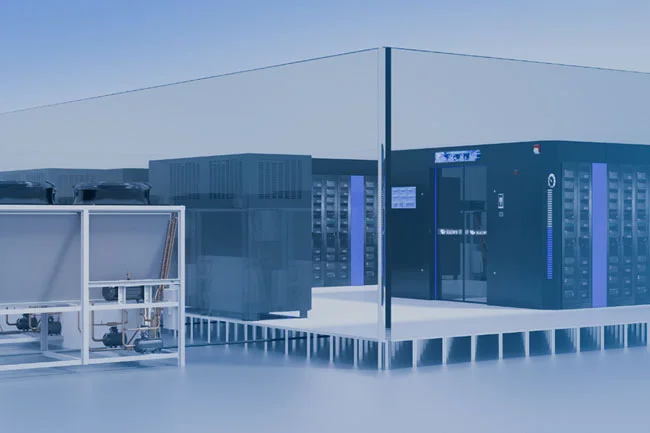
- The discussion above focuses on the evaporator (indoor) fan, but air‑cooled chillers—commonly used in water‑scarce areas or for process cooling—have condenser fans that are equally critical. These fans pull ambient air across the finned condenser coil to reject heat. If a condenser fan fails:
- The discharge pressure rises sharply.
- The compressor may trip on high‑pressure safety.
- Cooling capacity drops, and the chiller may shut down.
- Common causes for condenser fan failure mirror those listed above: motor burnout, relay defects, wiring issues, and bearing seizure. Additionally, condenser fans are exposed to outdoor elements—rain, dust, and temperature extremes—so they are prone to capacitor failure, water ingress, and blade imbalance from debris.
- Preventive tip: For air‑cooled precision chillers, schedule regular coil cleaning and fan blade balancing. Also, check the fan capacitor’s microfarad rating with a capacitance meter—a degraded capacitor can prevent the motor from starting even if the motor itself is fine.
Additional Hidden Culprits: Capacitors and Control Boards
While the five points above cover mechanical and electrical power components, do not overlook:
- Start/run capacitors – A weak capacitor can cause the fan to hum but not start, or start slowly. Replace with the exact capacitance and voltage rating.
- Control board / VFD (Variable Frequency Drive) – In modern EC (electronically commutated) fans or inverter‑driven precision ACs, the fan speed is modulated by a PCB or VFD. A faulty board may not send the start signal or may supply incorrect voltage. Diagnostics require checking control outputs and input power.
Why Modular Design Matters for Rapid Repair
Modern precision air conditioning systems are designed with modular components—fan decks, motor mounts, relay panels, and control boards are often plug‑and‑play. This approach offers several advantages:
Faster Mean Time To Repair (MTTR) – A technician can swap a faulty fan module in under 30 minutes.
Lower spare parts inventory – Common modules fit multiple models.
Reduced skill requirement – No need for rewinding or complex bearing presses; just replace the module.
If your system is not modular, consider upgrading during next lifecycle replacement, as this dramatically lowers operational costs and downtime.
Step‑by‑Step Troubleshooting Flowchart
To systematically address a non‑running fan in your precision air conditioner or air‑cooled chiller:
Safety first – Turn off power and lockout/tagout.
Check the control signal – Verify the thermostat or BMS calls for fan operation.
Inspect the capacitor – Test with a multimeter; replace if out of tolerance.
Test the motor windings – Check resistance; if abnormal, replace motor.
Examine the relay/contactor – Confirm coil energization and contact closure.
Verify wiring – Tighten all connections; look for burns.
Manual spin test – Ensure shaft rotates freely; if not, replace bearings or motor.
For belt‑driven – Check belt tension and condition; replace if worn.
Check VFD/control board – Look for error codes or output voltage.
Preventive Maintenance to Extend Fan Life
Monthly: Listen for unusual noises; visually inspect belts and wiring.
Quarterly: Clean fan blades and motor housing to prevent dust buildup that insulates and traps heat.
Annually: Replace drive belts (even if not broken), test capacitors, and tighten all electrical terminals.
For outdoor condenser fans: Clean coil surfaces and remove debris from the fan guard.
Implementing a scheduled maintenance program reduces unexpected failures and prolongs the service life of all precision cooling components.
When to Call the Professionals
While the above diagnostics and fixes are manageable for trained onsite HVAC technicians, some situations require specialized tools, OEM software, or safety training—especially when dealing with refrigerant circuits, high‑voltage power, or complex control systems. If you encounter persistent issues, or if you lack the confidence to perform electrical testing, contact a certified service provider.
For rapid response and expert support on all precision air conditioner and chiller fan problems, our team (EnergyCat®) offers remote diagnostics and onsite repair services. We stock a wide range of fan modules, belts, relays, and motors for major brands, ensuring minimal downtime for your critical data center or industrial process.
Conclusion
The fans in precision air conditioning and air‑cooled chiller systems are critical to maintaining thermal stability for server rooms, telecom shelters, and process equipment. When a fan stops running, the root cause is usually one of the five classic failures—motor burnout, belt damage, relay failure, loose wiring, or seized bearings—but capacitors and control boards can also play a role.
By following a systematic diagnostic approach and leveraging the modular design of modern equipment, you can resolve most fan faults quickly and cost‑effectively. Regular preventive maintenance is the best insurance against unexpected downtime. And when in doubt, do not hesitate to engage professional support to keep your cooling infrastructure reliable and efficient.